What will you build with a GPU you don't own?
Your $20-a-month AI plan is the brain. Borrow a slice of a server and it becomes a workshop: an image studio in a browser tab, a coding assistant that has read your whole project, a model too big for any home PC, a team of helpers working at once. The server brings the GPU, the chip that does the heavy maths for AI. Rent it for the hours you need, from an iPad if that is what you have. The server lives somewhere else. So does its fan noise.
See how a $20 plan and a rented GPU split the work, what it costs per hour, and what is still untested.
See what you can build What can I run?
Some links here are referral links: we may earn credits if you sign up and use RunPod.
What do you want to run?
Pick one. We will show the cheapest GPU on our list with enough memory for a typical model of that kind.
Reading the cards: "14B" means 14 billion parameters, a rough measure of a model's size. "4-bit" means a compressed copy that needs less memory. A model has to fit in the GPU's memory (its VRAM) to run well.
What $20 of GPU time buys (running time only, rates checked within the last 30 days)
You do not need to be an expert
RunPod is a company that rents out GPUs by the hour. It publishes official instructions that coding assistants can follow, plus a connector (an MCP server) that lets the assistant create, check and stop GPU machines for you. RunPod lists Claude Code, Codex, Cursor, GitHub Copilot, Gemini CLI and others as supported, and it offers a plugin for ChatGPT [5][6]. Check what your own plan includes before you count on it.

 Step 1: Make a RunPod account. Add a small balance, such as $10 or $20. RunPod's referral terms give a new account that signs up with Google and loads at least $10 a bonus credit: a random amount from $5 to $500 for most regions, and a fixed $5 in Europe [11]. Sign up here (referral link: we may earn credits if you sign up and use RunPod).
 Step 2: Paste this into your AI assistant. It is RunPod's own one-line setup prompt [6].
Read agents.runpod.io and set up Runpod for me. Step 3: Ask for what you want in plain English. For example: "Start a pod that can run ComfyUI and tell me the cost per hour", then "Shut it down and delete it when I say I am done." A pod is RunPod's name for one rented machine, and ComfyUI is an image-making tool. RunPod's official guides walk through examples such as an Ollama pod (chat models), a ComfyUI pod (images) and a Whisper endpoint (speech to text) [7].
Stay in control of spending.
- Rented GPUs bill while they run. When you finish, terminate the pod, then check the RunPod console for anything still running. Stopping is not enough: a stopped pod keeps its disk, and a stopped volume disk still bills $0.20 per GB per month.
- Keep a small balance. RunPod says pods stop when the balance reaches $0, and data on them can be lost [8].
- RunPod accounts start with a spend limit of $80 per hour across all resources [8]. Know that number.
- If you use an API key, create a Restricted key with only the permissions you need and treat it like a password [9].
- RunPod labels each connector tool as read-only or destructive, so you can decide which actions the assistant may take without asking [6].
RunPod reported in August 2026 that more than half of its command-line traffic came from AI agents [10].
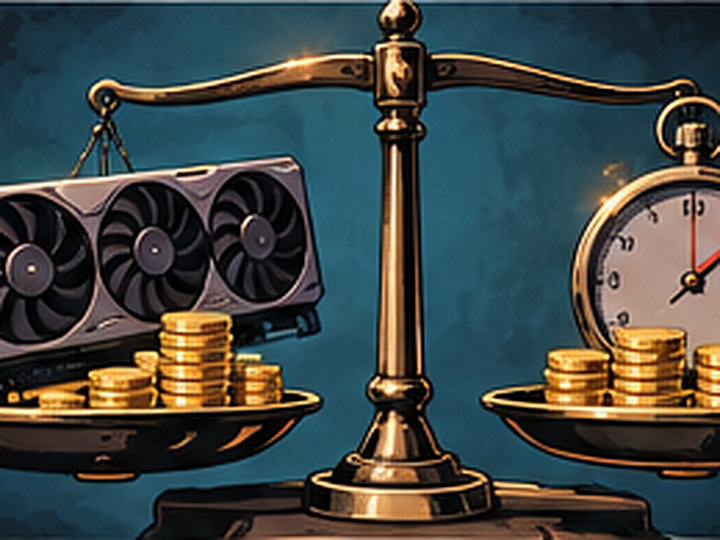
Thinking of buying a GPU instead?
Three inputs and a chart. Open the advanced options only if you want to tune the details. The answer is sometimes "buy", and the tool will say so.
Result
Test before you spend thousands
Rent the GPU you are considering for an hour or two and measure your real workload on it.
Referral link: we may earn credits if you sign up.
Why the timing matters right now
- A new generation of data-center chips is rolling out. In its Q2 fiscal 2027 results (August 2026), NVIDIA says Vera Rubin is ramping into full production, with racks running at CoreWeave, Google Cloud, Microsoft Azure, Oracle Cloud Infrastructure and Nebius [1]. You will not buy one for a desk, but a card bought today is no longer the newest thing. Renting lets you move when your provider lists newer hardware. We do not know if or when RunPod will list Rubin.
- Memory is getting more expensive. TrendForce forecast that contract prices for conventional DRAM (ordinary computer memory) would rise 10 to 15 percent in Q4 2026, and PC DRAM 13 to 18 percent [2][3]. It also reports that output of GDDR7, the memory on new graphics cards, is limited because capacity is going to server memory [2].
- Street prices are unstable. Press reports describe 2026 retail RTX 5090 listings far above the $1,999 launch price [4]. We do not publish a street price because it changes too fast. Enter the real price you can get above.
None of this means prices will fall, and nobody can say when they might. What it does mean: if you buy memory-heavy hardware now, you pay in a market TrendForce describes as supply-constrained. Renting charges you only for the hours you use.
Questions
When is buying the better deal?
Buying tends to win in three cases: the GPU would run most of every day for years, your data must stay on your own machines, or you can get a consumer card near list price and use it many hours a week. With this calculator's defaults (36 months, 25% resale, no extra system cost), a card bought at launch price breaks even against Secure Cloud rates at roughly 7 hours a week for an RTX 5090, 9 for an RTX 4090 and 16 for an RTX 3090. Against the much cheaper Community Cloud rates it takes about 16, 29 and 45 hours a week. The calculator above shows the break-even for your numbers.
How is the break-even calculated?
Net capital is the GPU price plus any extra system cost, minus the resale value you enter. Each hour of use saves the rental rate minus the electricity the card would use. Break-even hours are net capital divided by that saving. Total rent is rate times hours times months. Total buy is net capital plus electricity over the same period.
What does it leave out?
Storage, networking, cooling, taxes, financing cost, your time to maintain hardware, and idle hours when a rented pod is left running. It assumes the card draws its full rated power whenever it works and that rental prices stay where they are. Check the provider for current rates.
Does my model fit on a given GPU?
VRAM is the memory on a GPU, and a model has to fit in it. Use the VRAM calculator to estimate the memory for your model, its quantization (how much it is compressed) and its context length (how much text it keeps in view), and see which GPUs can hold it.
Where do the rental prices come from?
From the RunPod API, on-demand rates, fetched within the last 30 days. Prices may have changed since.
Sources
- NVIDIA Q2 fiscal 2027 results (Form 8-K): sec.gov
- TrendForce, 4Q26 memory price forecast, 30 Sep 2026: trendforce.com
- TrendForce, PC DRAM and 2027 supply, 11 Nov 2026: trendforce.com
- Engadget, GPU supply problem coverage: engadget.com
- RunPod docs, Use Runpod's MCP servers and Agent skills for AI coding tools: docs.runpod.io, agent skills
- RunPod, Onboard your agent to Runpod and the one-step setup post: docs.runpod.io/agent-setup, blog
- RunPod official plugin and guides (pod development loop, ComfyUI, Ollama and Whisper examples): github.com/runpod
- RunPod docs, Billing overview and Manage accounts (spend limit, balance): docs.runpod.io
- RunPod docs, Manage credentials (API key permissions): docs.runpod.io
- RunPod blog, AI agent infrastructure adoption (August 2026): runpod.io
- RunPod docs, Referrals (eligibility and bonus terms): docs.runpod.io
Figures are quoted as the sources state them, as of the dates shown. Forecasts can change. Sign-up links on this page include our referral code, so we may earn credits if you sign up through them. Product names belong to their owners and are used only to say what RunPod's documentation lists as supported.